Procreate Greeting Card Templates: Design Cards with Ease
There’s a unique satisfaction in creating something tangible, especially when it’s a card designed for someone specific. For those of us who love the digital drawing experience of Procreate but want a physical result, bridging that gap can sometimes feel technical. You want to focus on your art, not on figuring out print bleeds or document sizes. This is where having the right setup changes everything, turning a digital canvas into a perfect, print-ready card with minimal fuss.
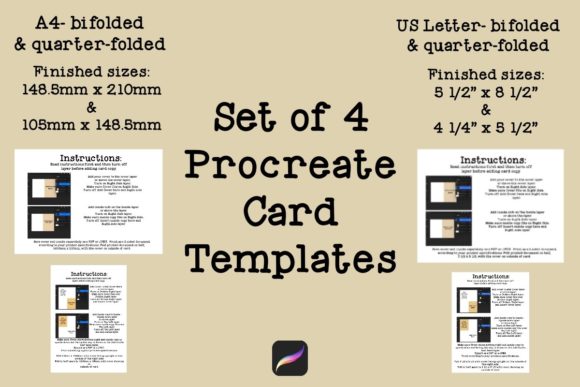
Enter the Procreate Greeting Card Templates. This isn't a font, but rather a foundational design asset—a set of four carefully structured templates that take the guesswork out of the entire process. It’s a practical toolkit for anyone who uses Procreate, from illustrators and lettering artists to crafters and small business owners looking to add a personal, handmade touch to their customer interactions. The core appeal is its directness: it provides the correct canvas, the right guides, and clear instructions so you can spend your energy on the creative part.
What’s Inside the Template Set?
The set is built around two of the most common international paper sizes: US Letter and A4. Each size gets two template variations, giving you flexibility based on your printer and your design intent. This thoughtful structure acknowledges that not everyone prints the same way.
For the US Letter size (8.5” x 11”), you get two templates. One is designed for a single-page print—ideal for a flat card or a postcard style where your entire design fits on one side. The second US Letter template is for a folded card. This one requires printing on both the front and back, with guides that ensure your artwork aligns perfectly when folded. The same logic applies to the A4 templates (210mm x 297mm), offering both a single-sheet and a front-and-back option. Each template file comes with its own set of instructions, which is a crucial detail. These aren't just blank canvases; they include subtle guide layers that you can toggle, showing you safe zones for text, bleed areas, and fold lines. It’s like having a seasoned print professional looking over your shoulder.
From Digital Canvas to Physical Keepsake
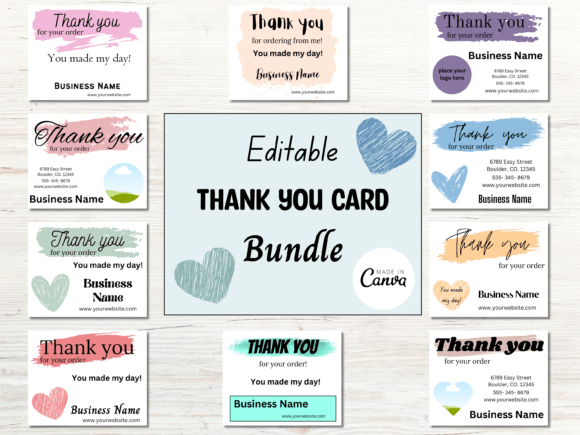
The true value of these Procreate Greeting Card Templates lies in their real-world applications. They are a bridge between your digital art practice and tangible projects. For the crafter or hobbyist, this means you can finally turn those intricate Procreate illustrations or beautiful calligraphy into actual birthday cards, thank-you notes, or holiday greetings that feel professionally made. The process becomes intuitive: open the template, create your art on the designated layer, and export with confidence.
For entrepreneurs and small business owners, the utility is just as strong. Imagine including a unique, hand-drawn thank-you card with every order. It’s a powerful touchpoint that builds brand loyalty. Using these templates ensures those cards are consistently sized and print correctly every time, reinforcing a sense of professionalism and care. Designers and illustrators can use them to quickly mock up client projects or to create a line of printable cards for their own online shops. The templates essentially become part of your professional design assets, saving you time on project setup.
Practical Tips for Getting the Most Out of Your Templates
While the templates simplify the technical side, a few practical considerations will elevate your results. First, always consider your printer. The instructions included are a starting point, but every home or office printer has its own personality. Do a test print on regular paper before using your good cardstock to check alignment, especially for the two-sided templates. This small step saves ink and frustration.
Think about your paper choice as part of the design. A heavier weight cardstock (like 80lb cover or higher) will feel more substantial and luxurious. The texture—smooth, linen, or cotton—can dramatically change the final look and feel of your artwork. When creating your design in Procreate, work in a high-resolution canvas (300 DPI is the standard for print) to ensure your lines and colors are crisp. Use the provided guide layers to keep important text and design elements within the safe zone, away from where the paper will be cut or folded.
Finally, view these templates as a starting point for your creative font and style explorations. Pair your hand-drawn illustrations with a clean sans serif font for a modern look, or combine elegant script font lettering with a simple serif font for a classic feel. The template handles the structure; you bring the unique personality. This combination of reliable structure and creative freedom is what makes these Procreate Greeting Card Templates such a valuable addition to any digital artist's toolkit. They remove a significant barrier, letting you focus on what you love: creating something beautiful and meaningful to hold in your hands.